


Quick Event Setup
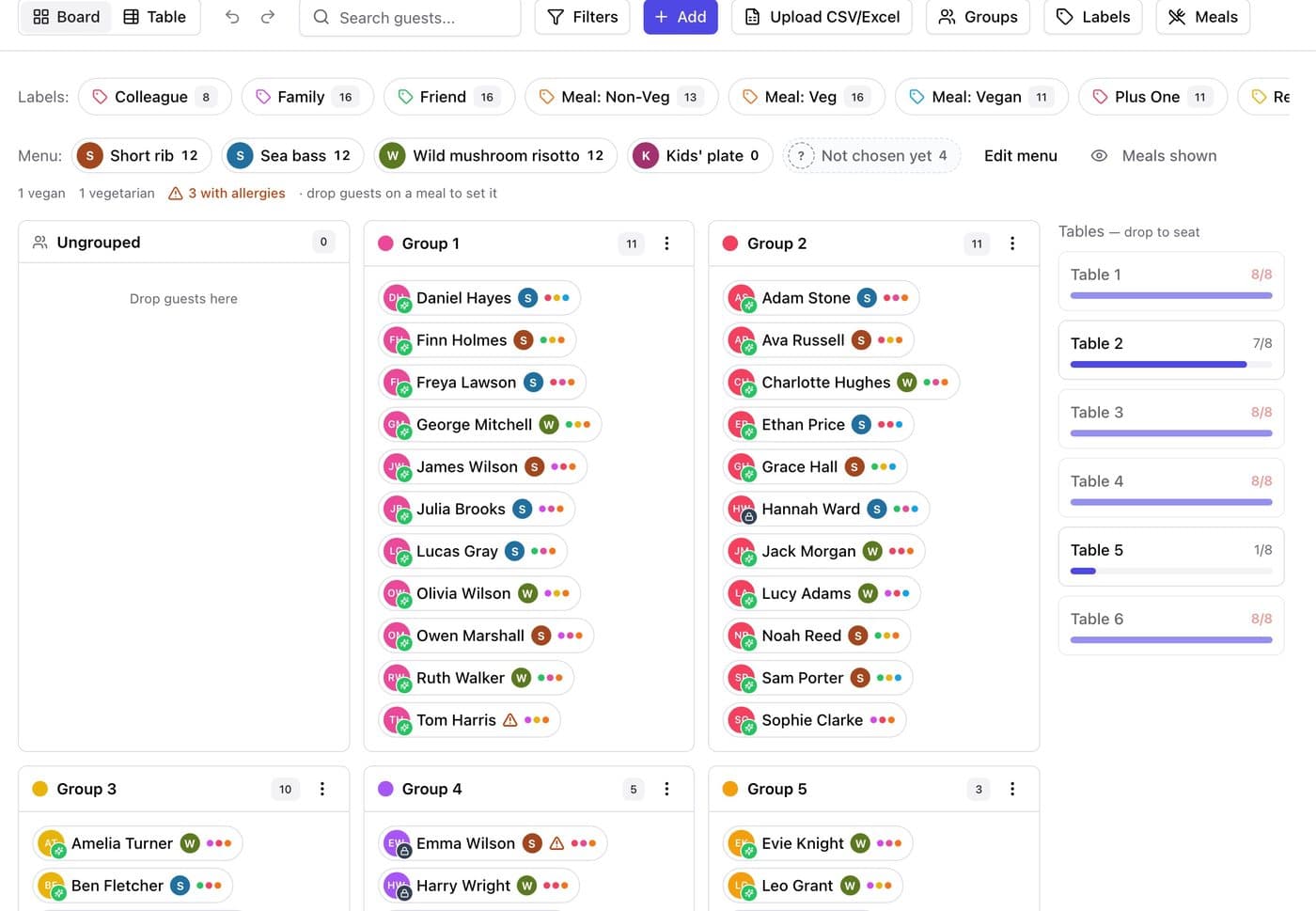
Upload your Excel or CSV guest list and start planning. Groups, families and plus-ones come in with it, ready to seat.
Upload your guest list, say who sits with whom, and our AI seats everyone in seconds.
For weddings, galas, conferences and the planners who run them.
Explore the distinctive features of AutomatedSeating that help you plan your events effectively
Upload your Excel or CSV guest list and start planning. Groups, families and plus-ones come in with it, ready to seat.
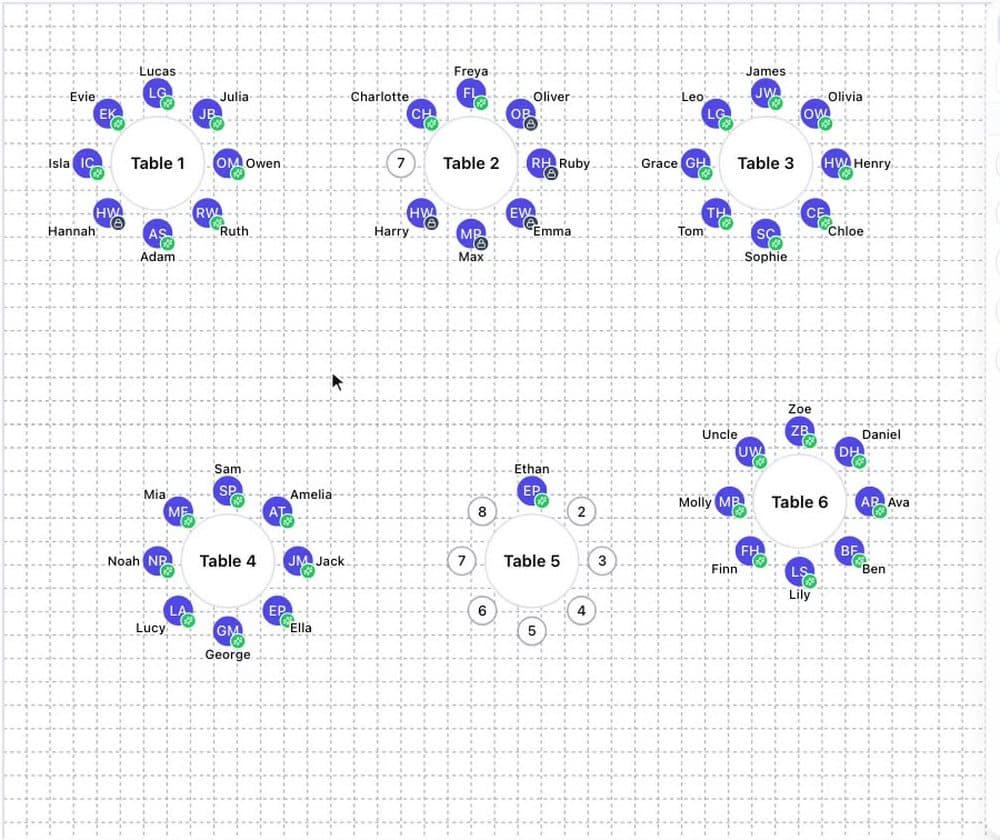
See every table and who sits at it. Drag guests between tables and spot empty seats at a glance.
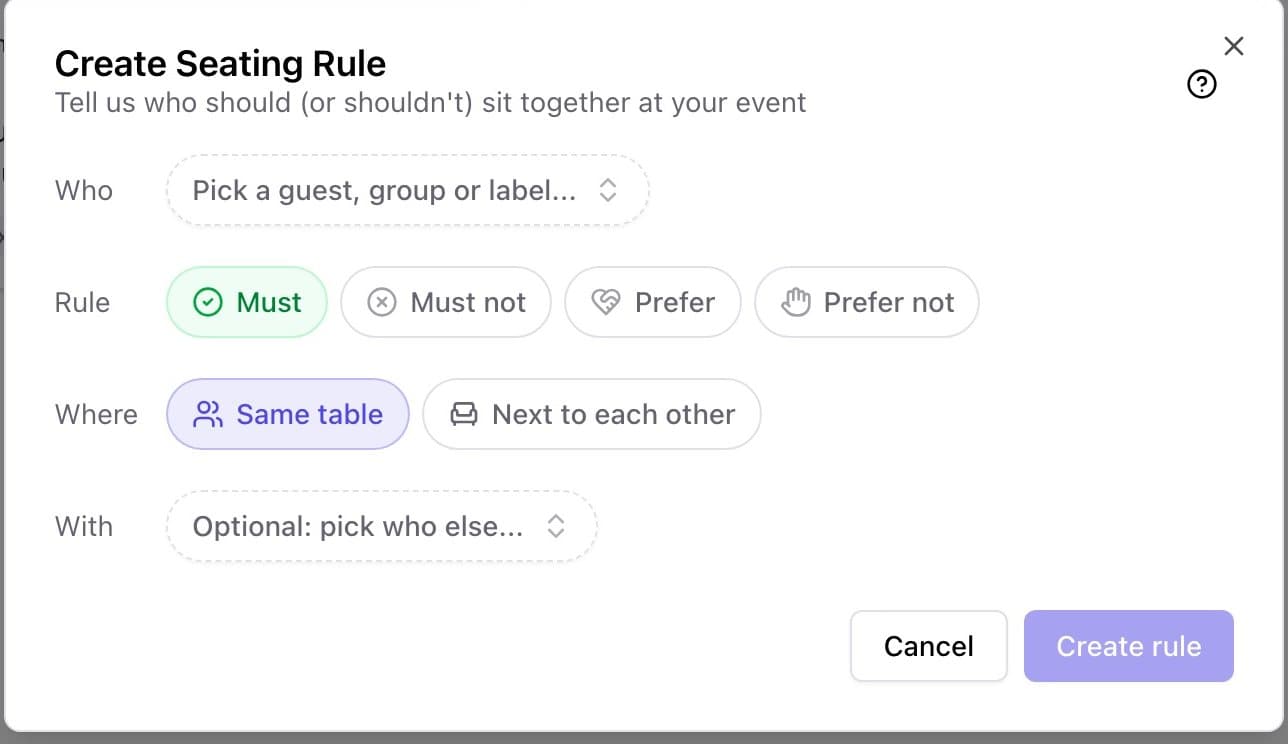
Say who must sit together, who to keep apart and who you’d like close. Our AI seats everyone around it and shows which rules are met.
Draw your venue with round and long tables, a dance floor and a stage. Drag tables and guests, and see your rules on the plan.
Garden, Gold Deco, Blush Watercolour, Boho Terracotta, Classic Monogram and Coastal. Pick one and everything you print matches.
Place cards, table cards, seating chart, floor plan and seat finder. Preview the exact PDF and we check every name fits before you print.
Everything you print comes straight from your seating plan, so the cards, the tables and the board at the door always agree.


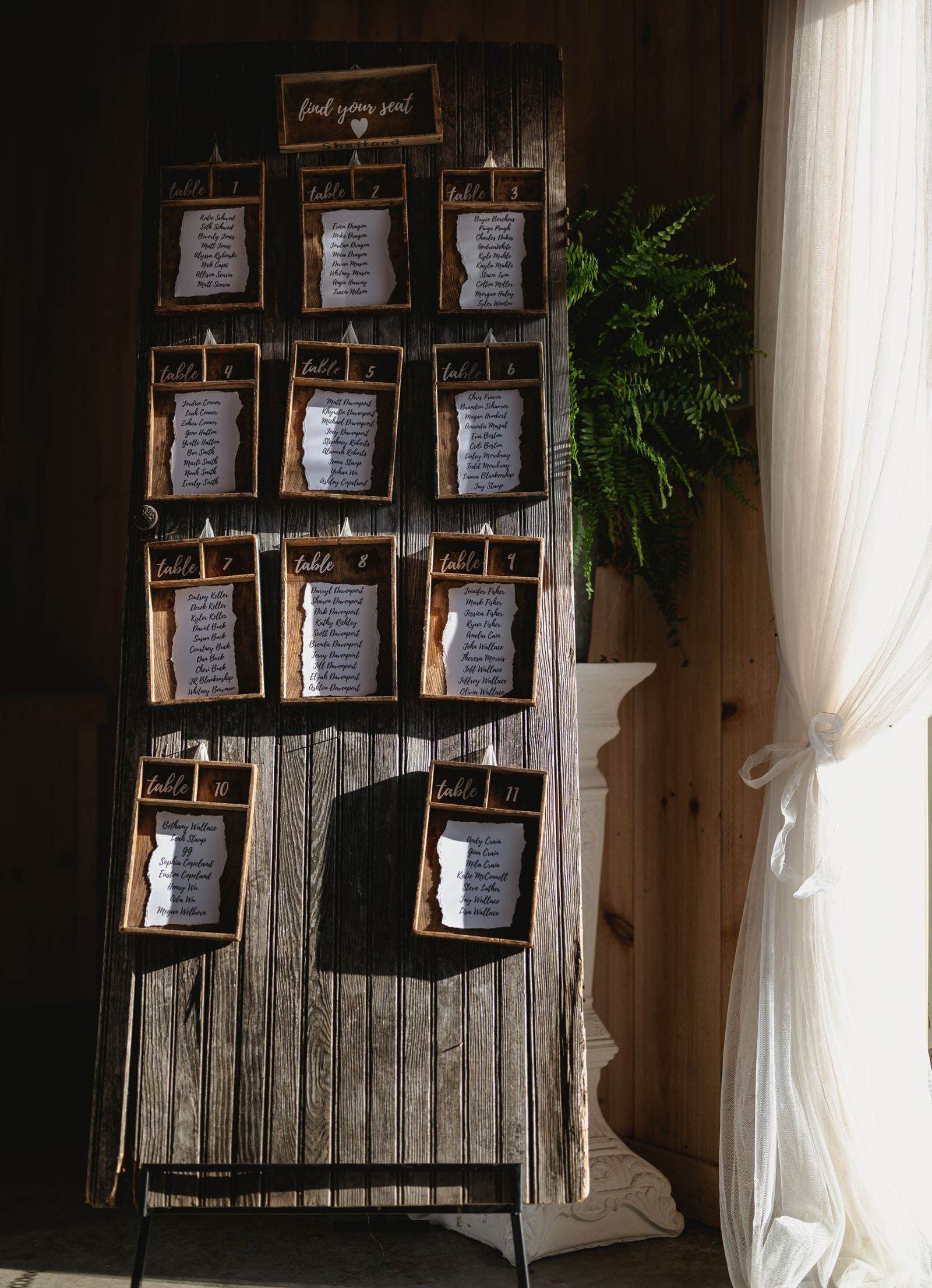
See how you can organize your next event, in a few steps
Create your event and set up your guests, tables and rules. Groups, labels and meals are all in one board.
Write your rules the way you’d say them, then press Generate. Our AI weighs every rule at once and keeps any seats you’ve already decided.
See the whole room at once, with every guest’s name on their seat. Drag anyone to another chair and lock the seats you’re sure about.
Choose what you need, pick a design, and download print-ready PDFs. What you see in the preview is exactly what prints.
Your plan doesn't stop at the printer. On the day, it runs the door, the kitchen and the guests' phones.
Day-of check-in
QR seat finder
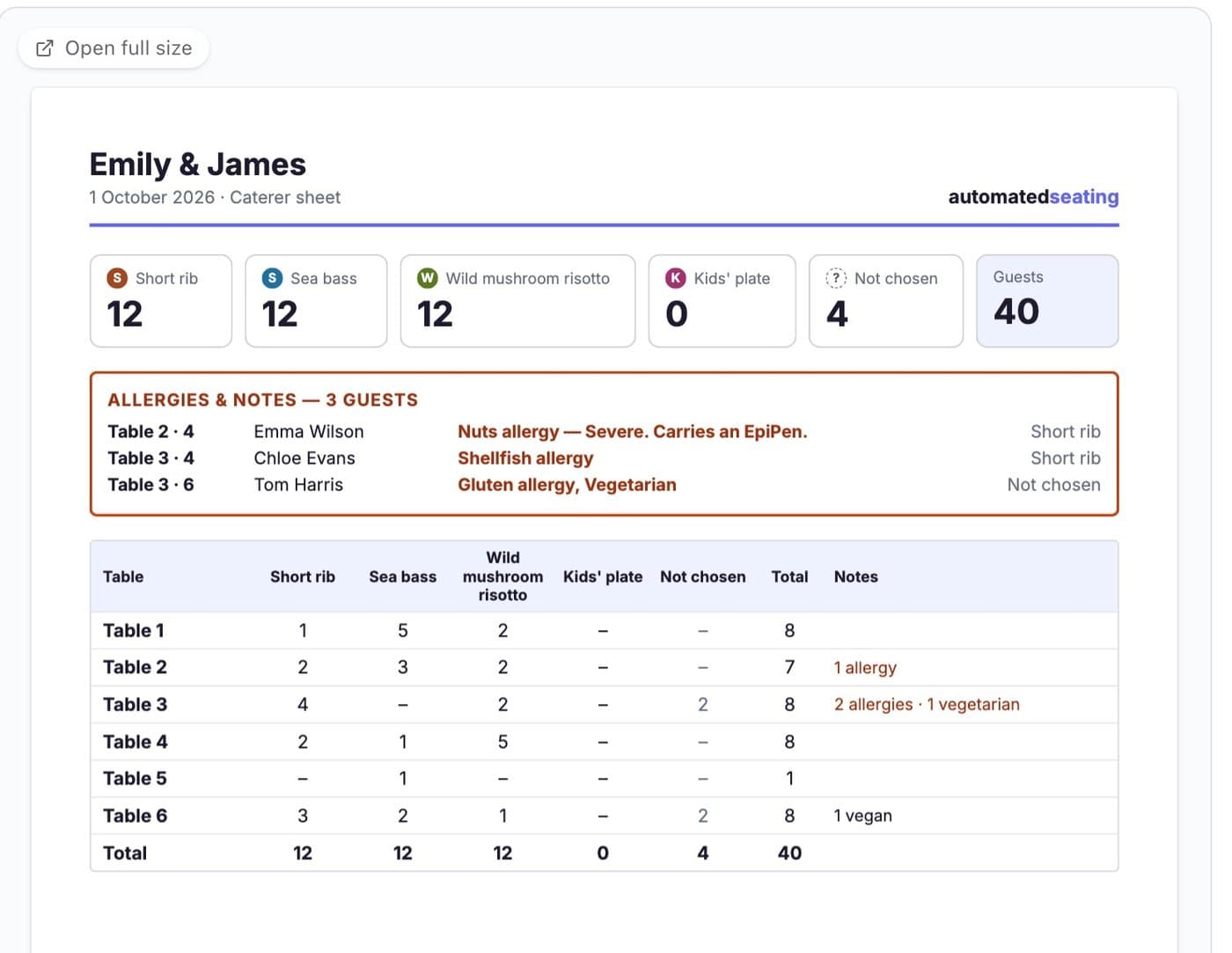
Caterer sheet

Upload your guest list, set a few rules and have everyone seated in an afternoon. No credit card required to start.